Are you tired of manually filling up all the fields in your H1 reports? Given that we now have AI agents that do everything for us, we could also use them to save even more time. I'm talking about changing the way I've been preparing my H1 reports since I started my bug bounty journey. When I was happy with the content, there was always the part that I didn't particularly like:
- pick the scope
- pick a weakness type
- pick the severity
- copy+paste the title
- copy+paste the description
- copy+paste the impact
- optionally upload some attachments and place them within the text
...and finally click submit.
This is all possible because before any of it happens, I tend to have everything polished already in a git repo corresponding to the target that I'm currently hunting. It's not a lot of work, but once you have 20-30 reports to send, a little knowledge and a bit of help from AI lets you automate about 90% of it and avoid the context switching required for filling in the report. Of course, you shouldn't use it to mass-post reports that you haven't even read. The triagers hate it and it makes the whole ecosystem worse for all of us. But if your intentions are good, you are welcome to join me on this journey through the H1 API docs and setup.
Getting a token
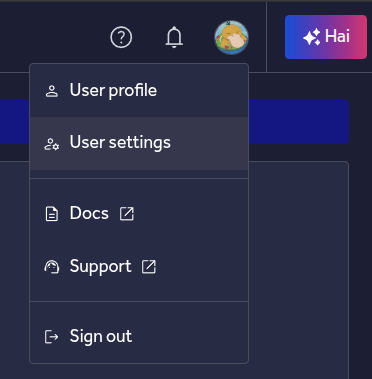
First, we need a token that you can generate in your user settings:
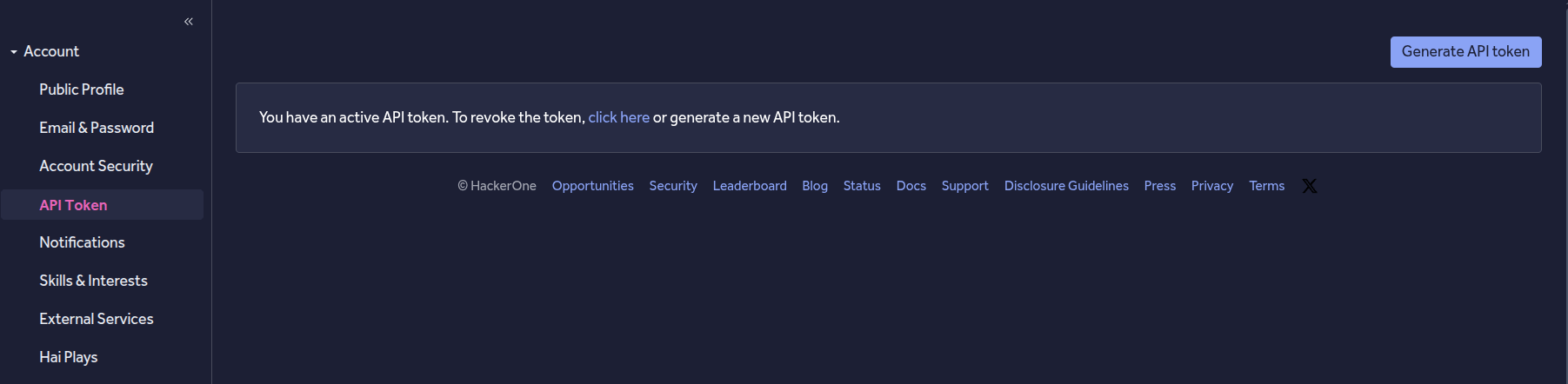
Then we go to the "API Token" section:
And we generate a fresh token that we save for later:
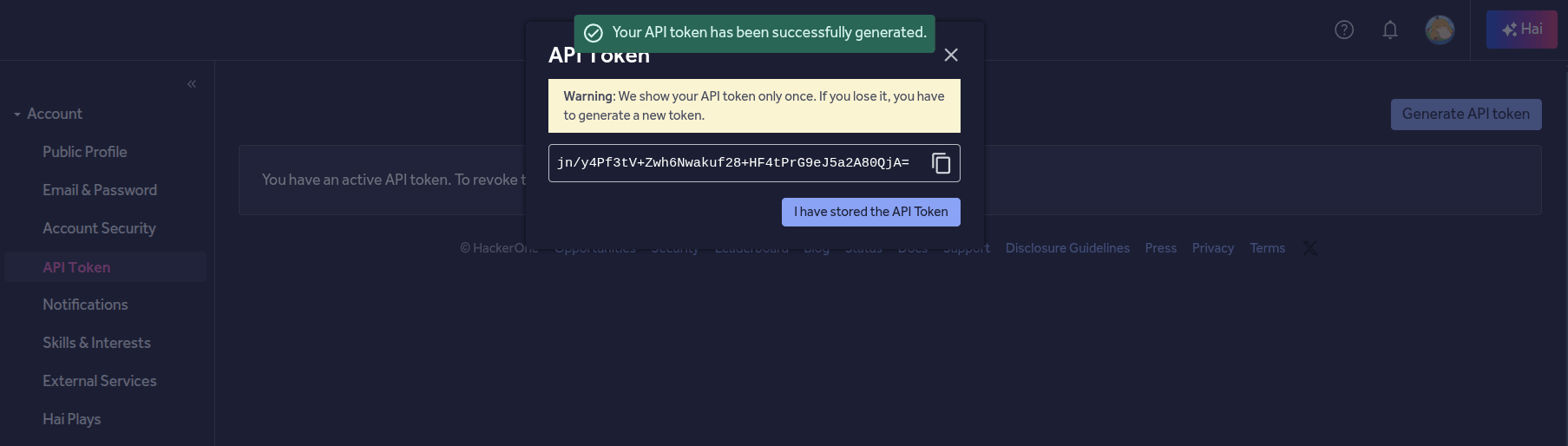
This is all we need to start working with the API. This token will allow us to send a report without even leaving our terminal. If you are interested in all the operations that you can perform using this token, you can visit the official docs here: https://api.hackerone.com/hacker-resources/
Every script below reads the credentials from the environment, so put them in a .env file next to the scripts. Note that the username is the API username shown next to the token, not your hacker handle:
H1_USERNAME=your-api-username
H1_TOKEN=your-token
Weaknesses and scopes
We can check if the credentials work by fetching the scopes and weakness types a program supports. I'll use the H1 program here, and Node.js because I like it. Let's go.
We need to obtain the program handle, which you can find when you visit the program page:
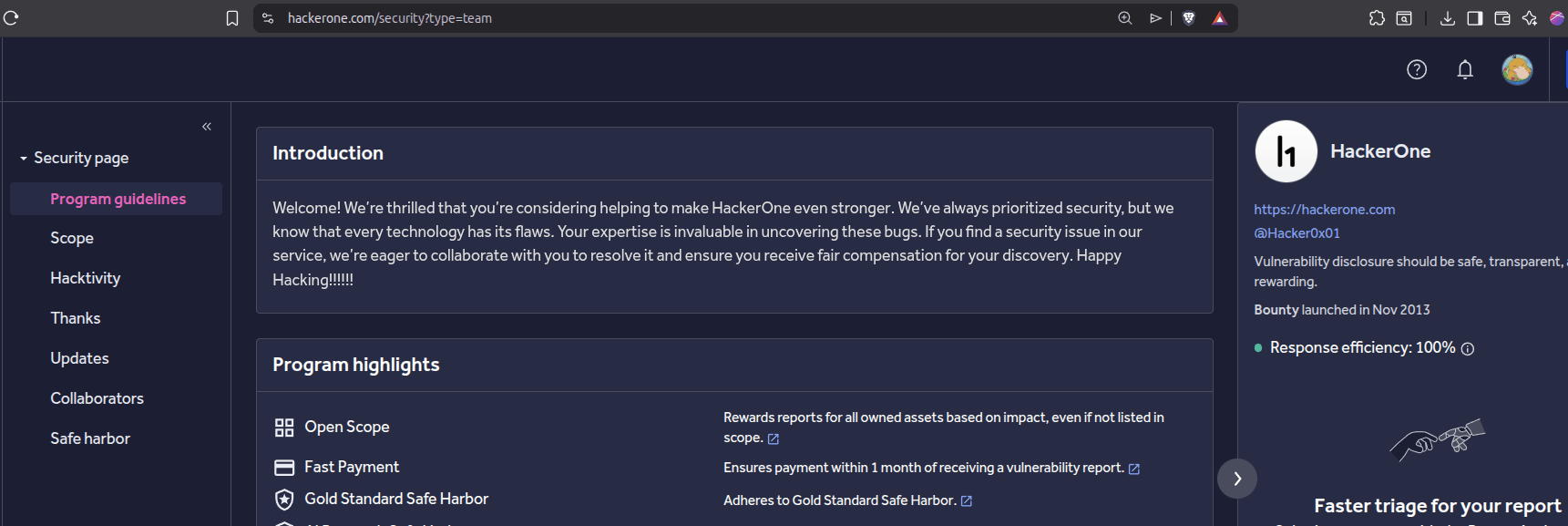
It's in the URL, for H1 it's simply "security". We use it to point the script at a specific program. We get the list of weaknesses first:
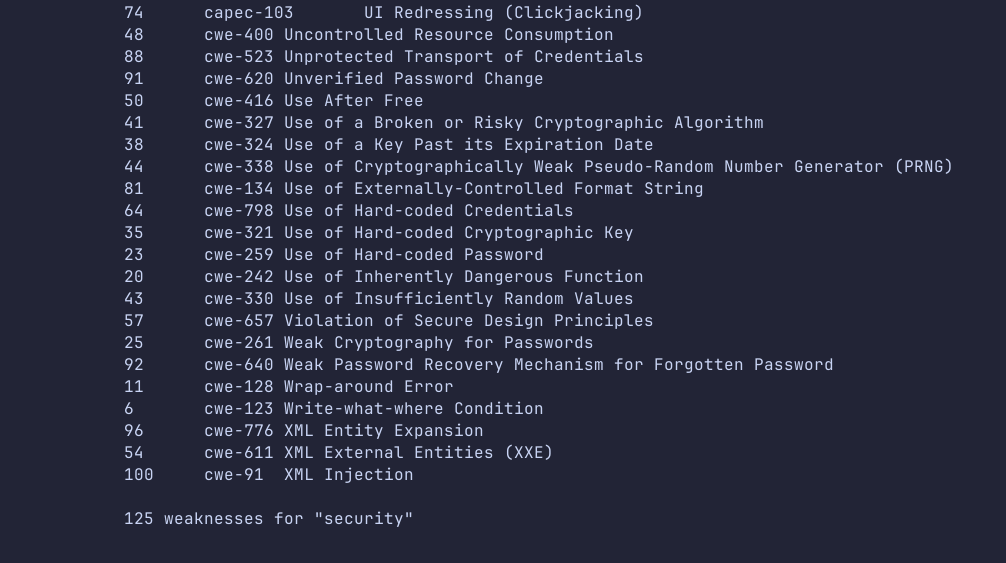
weaknesses.mjs
const auth = Buffer.from(`${process.env.H1_USERNAME}:${process.env.H1_TOKEN}`).toString("base64");
const handle = process.argv[2] || "security";
let url = `https://api.hackerone.com/v1/hackers/programs/${handle}/weaknesses?page[size]=100`;

while (url) {
  const res = await fetch(url, { headers: { Authorization: `Basic ${auth}`, Accept: "application/json" } });
  if (!res.ok) throw new Error(`${res.status} ${await res.text()}`);
  const page = await res.json();
  for (const w of page.data) console.log(w.id, w.attributes.external_id, w.attributes.name);
  url = page.links?.next ?? null;
}
We do the same for the scopes:
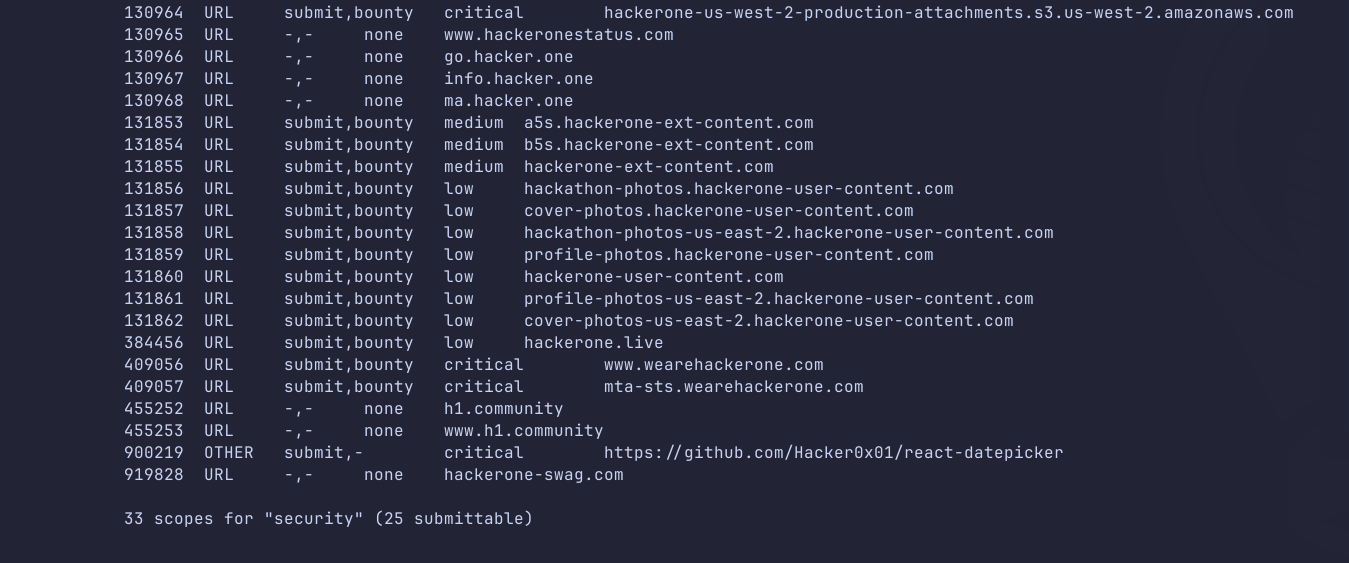
scopes.mjs
const auth = Buffer.from(`${process.env.H1_USERNAME}:${process.env.H1_TOKEN}`).toString("base64");
const handle = process.argv[2] || "security";
let url = `https://api.hackerone.com/v1/hackers/programs/${handle}/structured_scopes?page[size]=100`;

while (url) {
  const res = await fetch(url, { headers: { Authorization: `Basic ${auth}`, Accept: "application/json" } });
  if (!res.ok) throw new Error(`${res.status} ${await res.text()}`);
  const page = await res.json();
  for (const s of page.data) {
    const a = s.attributes;
    console.log(s.id, a.asset_type, a.eligible_for_submission ? "submit" : "-", a.asset_identifier);
  }
  url = page.links?.next ?? null;
}
Both endpoints page at 25 by default, so we ask for 100 and follow links.next, otherwise you silently get a partial list, which is a nasty surprise when the id you need is on page two. Run them with the token in the environment:
node --env-file=.env weaknesses.mjs securitySending a report
And initially that's basically all you need to send a valid report. As long as you don't need to create a draft first (to manually send it after confirmation) or attach files, you can just go ahead and use the "Create Report" operation:
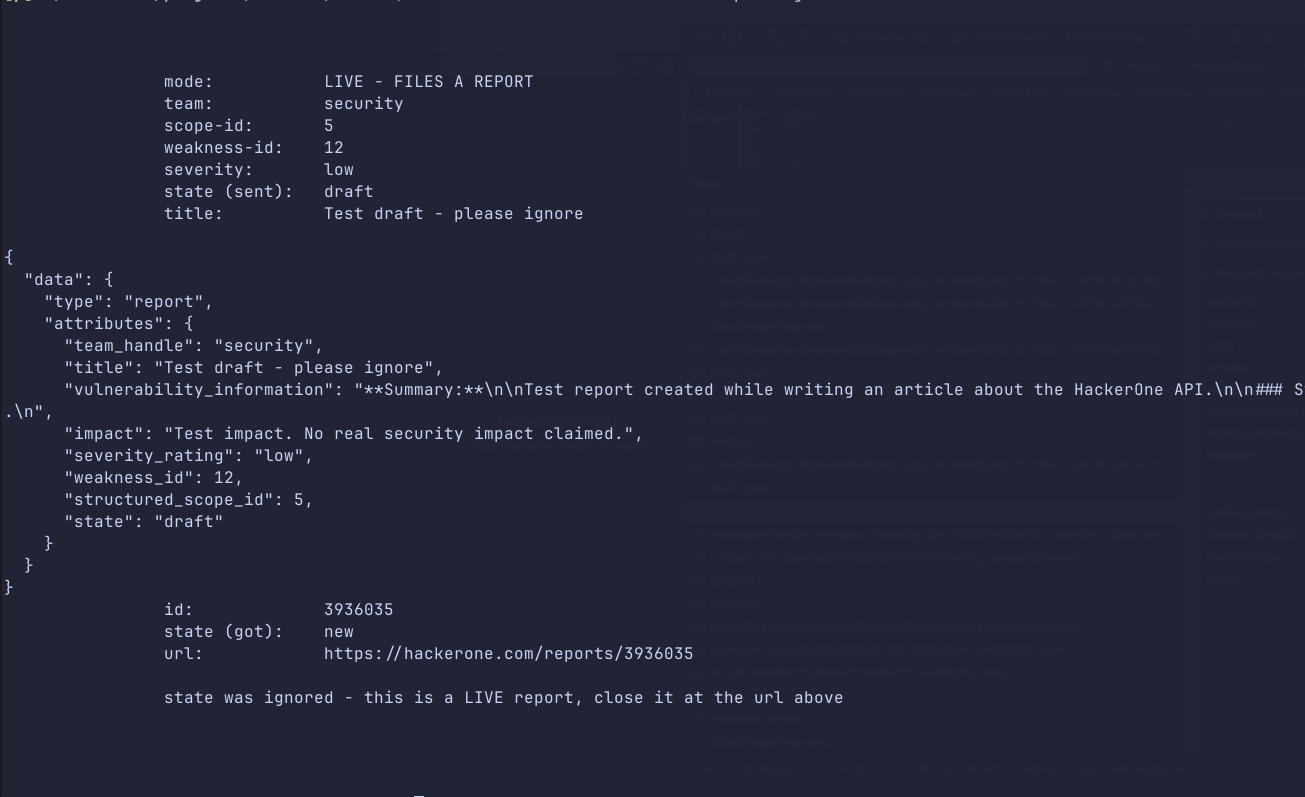
create-report.mjs
const auth = Buffer.from(`${process.env.H1_USERNAME}:${process.env.H1_TOKEN}`).toString("base64");

const res = await fetch("https://api.hackerone.com/v1/hackers/reports", {
  method: "POST",
  headers: { Authorization: `Basic ${auth}`, "Content-Type": "application/json", Accept: "application/json" },
  body: JSON.stringify({
    data: {
      type: "report",
      attributes: {
        team_handle: "security",
        title: "Reflected XSS in the q parameter",
        vulnerability_information: "## Steps To Reproduce\n\n1. ...",
        impact: "An attacker can execute arbitrary JavaScript ...",
        severity_rating: "low",     // none | low | medium | high | critical
        weakness_id: 67,            // from weaknesses.mjs
        structured_scope_id: 5,     // from scopes.mjs
      },
    },
  }),
});

const body = await res.json();
console.log(res.status, body.data?.id, body.data?.attributes?.state);
And boom:
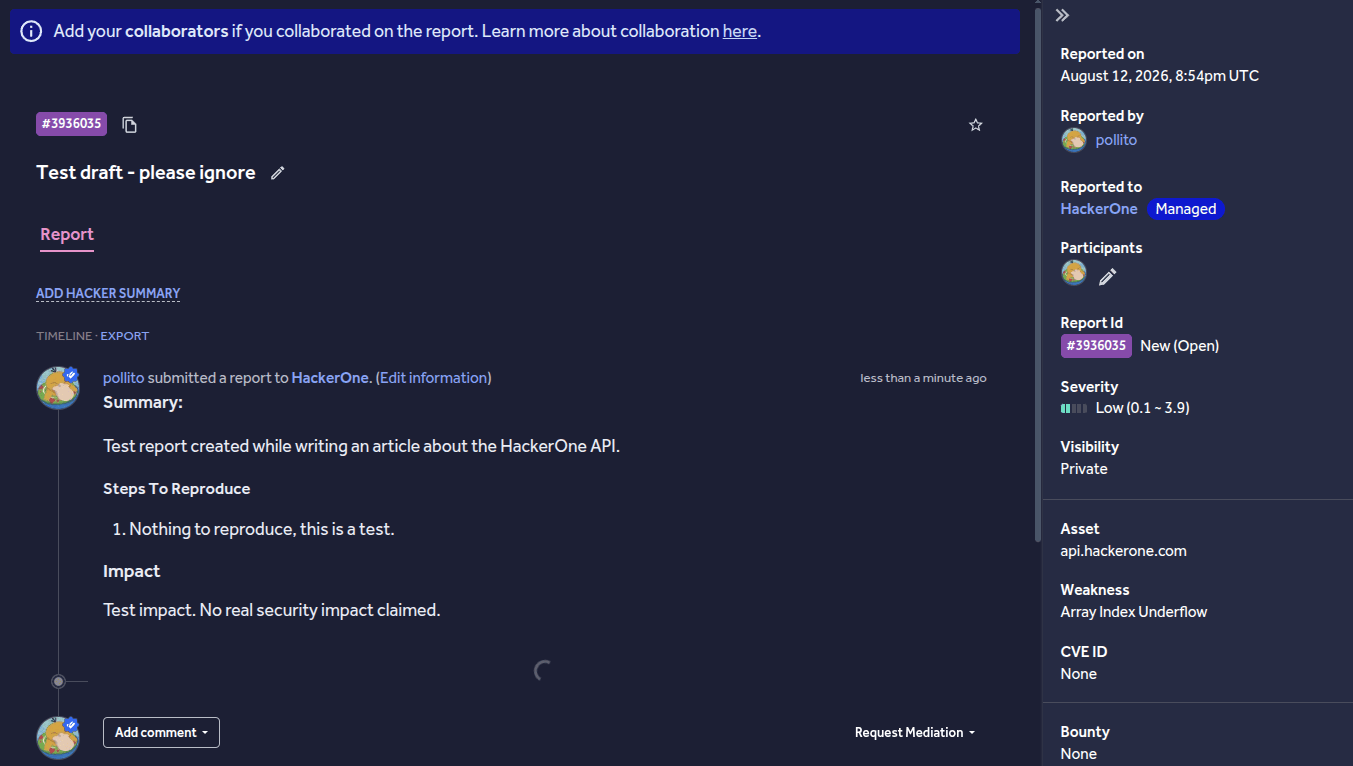
The report is there without even touching the browser.
The caveat
This way doesn't allow uploading attachments, which is sometimes fine but in most cases you would like to include them. I have to warn you: at the time of writing, there doesn't seem to be a way to file a full report. The first method lacks the attachments, and the second one uses an older version of the report assistant. You are allowed to upload attachments there, but the submitted report doesn't carry any weakness type or severity rating, which you would need to set up manually after submitting the report. This is a strange situation, but there is not much we can do.
Drafts and attachments: the Report Intents API
Let's now see how a report can actually be created with attachments, draft first and then publishing it. For this we will use the Report Intents API. Attachments can only be uploaded to an existing report intent, so the script first creates one with a placeholder description. It has to be a placeholder, because the real text needs the attachment ids and those don't exist until the intent does. Uploading is allowed straight away, even while the assistant is still working, so we send the files next and get back the respective ids that we can place inside our report description. Then we wait, update the description with the markers, and wait again for the AI to finish analyzing the report. Once it's finished, the draft is there ready to be submitted:
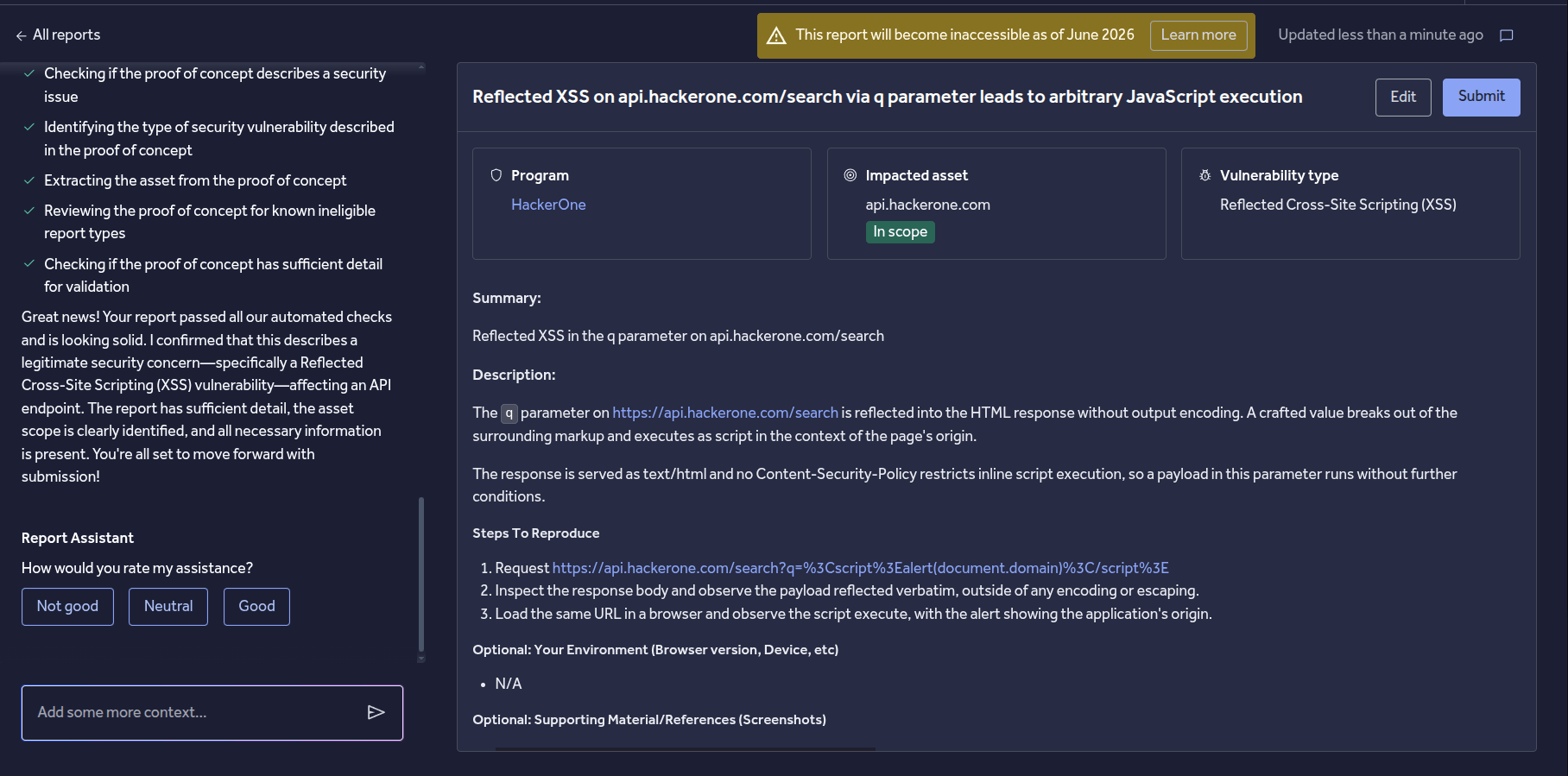
report-intent.mjs
import { openAsBlob } from "node:fs";

const BASE = "https://api.hackerone.com/v1/hackers/report_intents";
const auth = Buffer.from(`${process.env.H1_USERNAME}:${process.env.H1_TOKEN}`).toString("base64");

const api = async (method, path, body) => {
  const multipart = body instanceof FormData;
  const res = await fetch(BASE + path, {
    method,
    headers: {
      Authorization: `Basic ${auth}`,
      Accept: "application/json",
      ...(body && !multipart && { "Content-Type": "application/json" }),
    },
    ...(body && { body: multipart ? body : JSON.stringify(body) }),
  });
  if (!res.ok) throw new Error(`${method} ${path} -> ${res.status} ${await res.text()}`);
  return res.json();
};

const sleep = (ms) => new Promise((r) => setTimeout(r, ms));

// PATCH is rejected while the assistant is working, and it restarts it too
const settle = async (id) => {
  let i = await api("GET", `/${id}`);
  while (i.data.attributes.state === "pending") { await sleep(2000); i = await api("GET", `/${id}`); }
  return i;
};

// 1. create the draft with a stub - the real text needs the attachment ids
const { data: { id } } = await api("POST", "", {
  data: { type: "report-intent", attributes: { team_handle: "security", description: "Draft in progress." } },
});

// 2. upload files (allowed while pending) and turn the ids into {F} markers
const form = new FormData();
form.append("files[]", await openAsBlob("poc.png"), "poc.png");
const up = await api("POST", `/${id}/attachments`, form);
const markers = (Array.isArray(up.data) ? up.data : [up.data]).map((a) => `{F${a.id}}`).join("\n");

// 3. wait, then write the real description with the markers inline
await settle(id);
await api("PATCH", `/${id}`, {
  data: {
    type: "report-intent",
    attributes: {
      description: `**Summary:**\n\nReflected XSS in the q parameter\n\n### Steps To Reproduce\n\n1. ...\n\n${markers}`,
    },
  },
});

// 4. the PATCH restarts the analysis, so wait again before submitting
const done = await settle(id);
console.log(id, done.data.attributes.state, done.data.attributes.metadata);

// this one actually files it, so check the draft first
// await api("POST", `/${id}/submit`);
A few things are worth knowing here, because none of them are in the docs. Attachments can be uploaded while the intent is still pending, but the description cannot. A PATCH in that state comes back with "Report intent can not be updated in current state". The {F<id>} markers are what place an image inline; without them the file only shows up in the list at the bottom of the report. And the PATCH itself restarts the assistant, so the intent drops back to pending and you have to wait again before submitting. Submit too early and the report is built from the previous text.
One more thing that cost me a few drafts: the description is not really a field, it's a message to the assistant. If your text says anywhere that it's only a test, the assistant politely declines to process it and your description is never stored.
And it can be submitted:
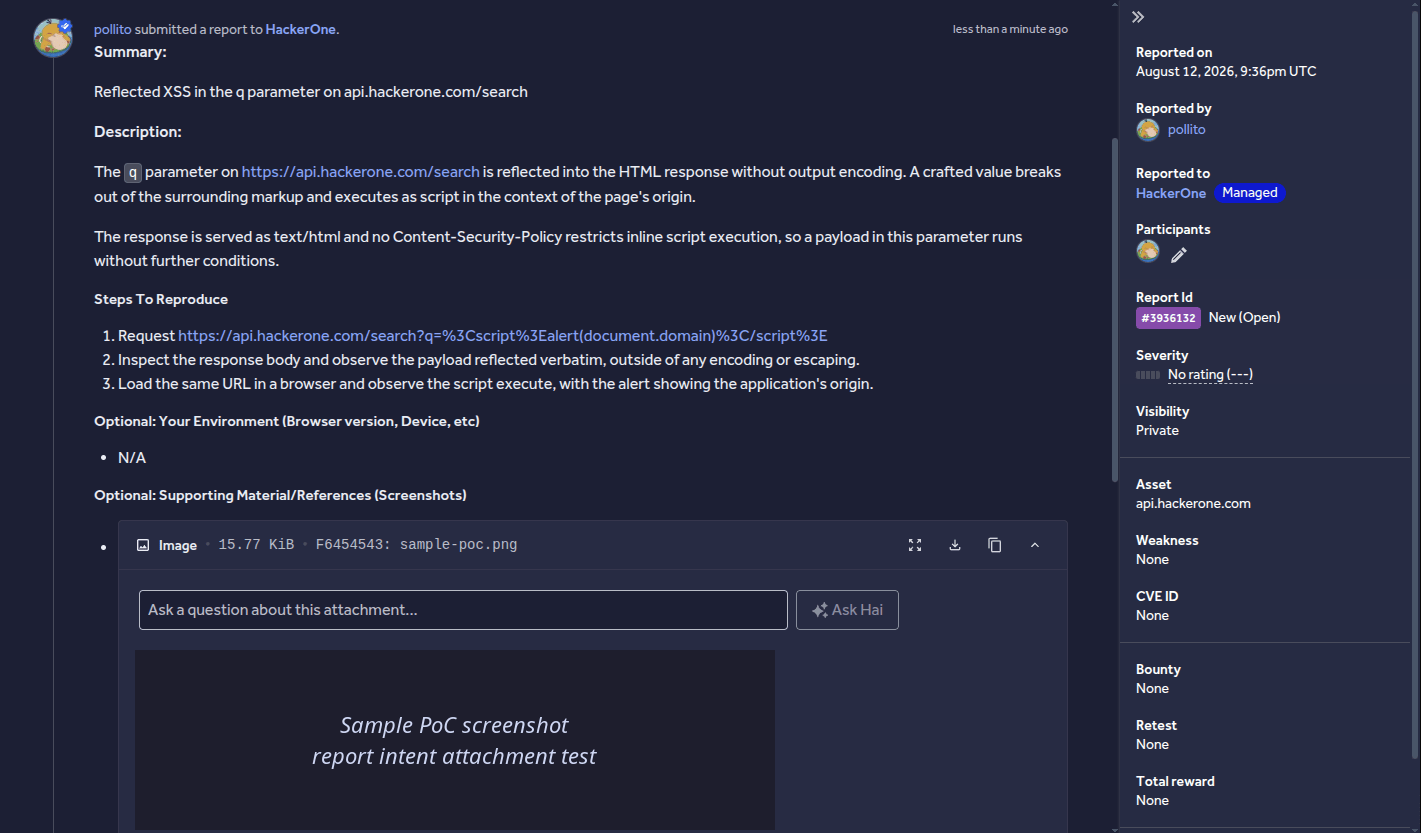
As mentioned previously, it doesn't have the severity rating or weakness type, so we would need to set these manually (or ask the AI to suggest one in the UI). So neither way is fully autonomous yet, which sucks, but at least we can get a partial submission either way, which saves us at least some time.
What's next
I will be watching for upcoming changes to the H1 API, as maybe they will soon integrate the v2 agent experience into report intents, as it seems the second version is actually able to set the severity and weakness type. This can take some time though, as given that the "AI Horde" is already storming every bug bounty program:
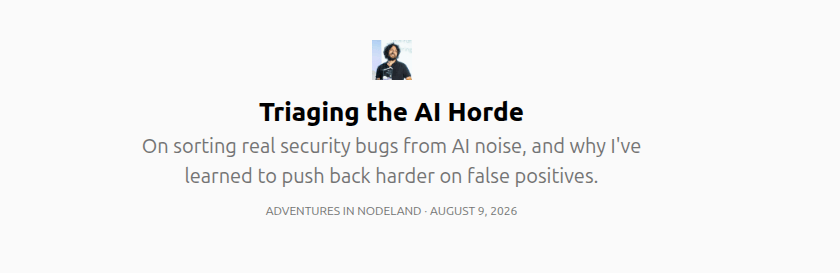
...this might not be their highest priority, giving the Horde tools to send reports even faster :D
As soon as this changes, this article will get updated. But for now, unless we want to use their internal API, this is what we get. Maybe that could be a topic for another article?